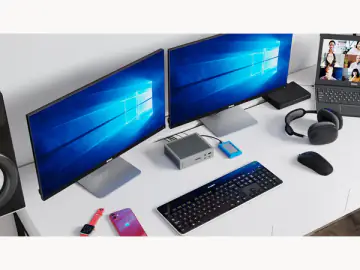
Desk Upgrades · Upgrade Path

The Desk Upgrade Path

Most desks get upgraded backwards — a flashy keyboard before decent lighting, a second monitor before the cables are under control. This is the order that actually makes a desk feel better to sit at: surface first, then comfort, then the splurges that earn their space.

The order

What to buy first

Work down the list. Each step earns its place before the next one matters.

  1. 1

    Start with the surface

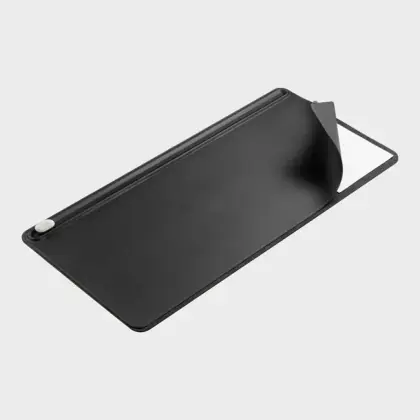
    Orbitkey Desk Mat

    A good desk mat is the cheapest upgrade that changes how the whole setup feels. It defines the workspace, quiets the desk, and catches the cable drift before you spend anything else.

    Read the verdict →
    Orbitkey Desk Mat
  2. 2

    Then fix the light

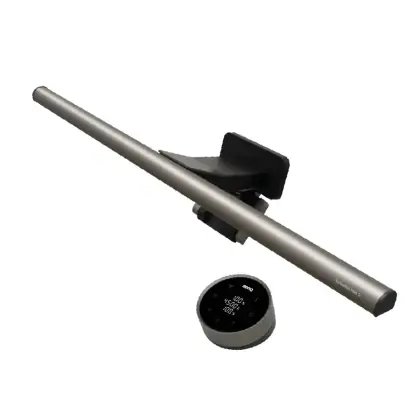
    BenQ ScreenBar Halo 2

    Lighting is the single biggest comfort upgrade and it costs zero desk space. Do this before inputs — your eyes notice it more than your fingers will notice a new mouse.

    Read the verdict →
    BenQ ScreenBar Halo 2
  3. 3

    Upgrade the daily input

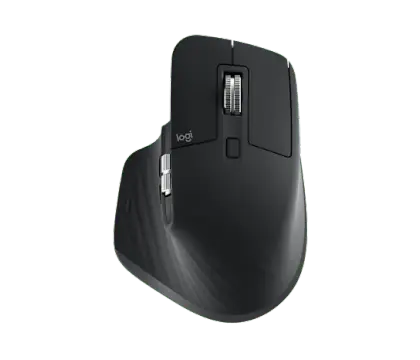
    Logitech MX Master 3S

    You touch the mouse more than anything else on the desk. Better ergonomics here pays off every hour, and it costs a third of a custom keyboard.

    Read the verdict →
    Logitech MX Master 3S
  4. 4

    Raise the screen

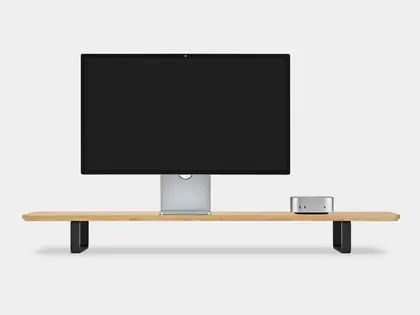
    Oakywood Desk Shelf / Dual Monitor Stand

    Get the monitor to eye level for your neck, and reclaim the space underneath for the clutter that was living on the desk surface.

    Read the verdict →
    Oakywood Desk Shelf / Dual Monitor Stand
  5. 5

    Hide the cables

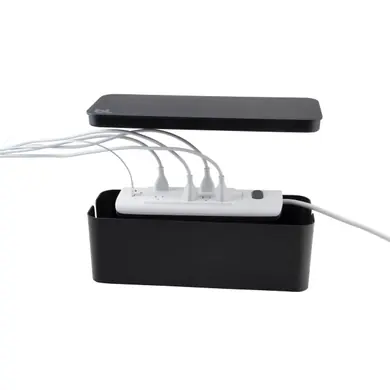
    Bluelounge CableBox

    The finishing move. Once everything else is in place, corral the rat king of cords underneath so the clean setup actually looks clean.

    Read the verdict →
    Bluelounge CableBox

Worth the upgrade

Where spending more makes sense

Once the basics are sorted, these are the few places paying more actually pays off.

A keyboard you feel every day

If you type for a living, this is the one place the splurge is justified — it turns a chore object into something you look forward to using.

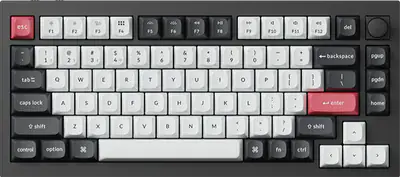
Keychron Q1 HE QMK Wireless Custom Keyboard

Worth the Upgrade

$220–$240

Keychron Q1 HE QMK Wireless Custom Keyboard

A premium aluminum mechanical keyboard with magnetic Hall Effect switches, wireless support, and full QMK customization.

The keyboard for people who have accepted that typing all day deserves better hardware than what came in the box.

One cable for the whole laptop setup

For a laptop-first desk, a proper Thunderbolt dock means one cable connects monitors, drives, audio, Ethernet, and power. Expensive, but it ends the daily plug-in ritual.

CalDigit Thunderbolt Station 4

Worth the Upgrade

~$400

CalDigit Thunderbolt Station 4

A serious Thunderbolt dock for turning a laptop into a proper desk workstation with one cable, plenty of ports, and less adapter-drawer nonsense.

Expensive, but this is the permanent desk command center version of “I am tired of dongles.” If your laptop is your main computer, the utility is real.

Lighting with actual character

When the desk is dialed in and you want it to look like a grown-up chose it, a real design lamp does more for the room than another gadget.

Gantri / Smart Design Aim Table Light

Worth the Upgrade

$348

Gantri / Smart Design Aim Table Light

A sculptural task light with enough presence to make a desk or reading corner feel intentionally designed instead of merely illuminated.

A normal desk lamp does technically emit photons for less money. This is for people who want the object itself to earn its spot.
Save your money

What to skip (for now)

A macro pad before you have repetitive workflows

A Stream Deck is great once you actually repeat the same actions all day. Buy it when you have a workflow to map, not as decoration.

Desk speakers if you wear headphones

Lovely audio is a real upgrade — but not a setup essential. If you live in headphones, put the money into inputs and lighting first.

Heated mugs as a "productivity" purchase

Genuinely nice, genuinely not a desk upgrade. Buy it because you nurse cold coffee, not because you think it will dial in the setup.

Newsletter

Get the weekly gear drop.

A weekly drop of gear, gadgets, and grown-up toys worth wanting — with the best finds, smart buys, useful toys, and the occasional thing you should absolutely skip.

No spam. No junk. Just useful dopamine once a week.